




Get answers, not
runaround.
Search setup guides, firmware fixes, and support resources by entering keywords below.
IP Camera Reset
Initial Device Set-Up
1. Connect camera and laptop to the same switch
2. Open the Viper camera config tool.

You will see any device picked up by the software:
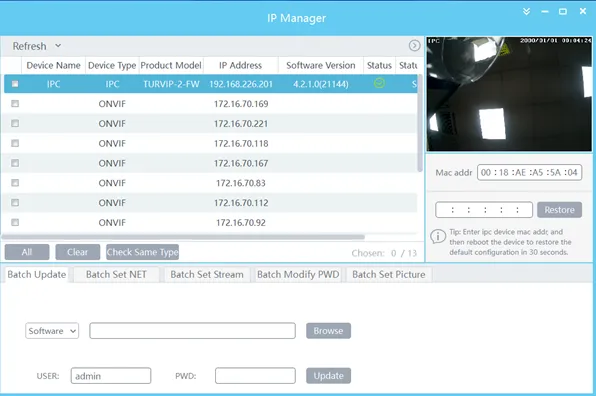
3. Select the camera (which will show preview and Mac address on the right). Re-enter the Mac in the box underneath and click restore.
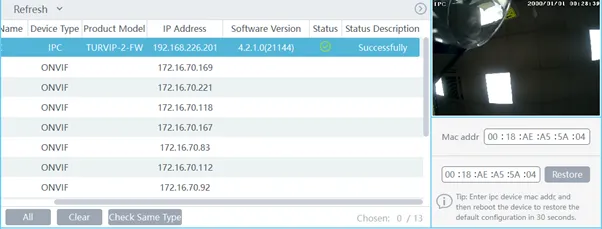
4. Click “OK” on the prompt
Device is now reset
Need Additional Help?
Our dedicated support desk is available to assist you 24/7.
Popular Articles
Frequently viewed documentation and technical guides.