




Get answers, not
runaround.
Search setup guides, firmware fixes, and support resources by entering keywords below.
LPR (License Plate Recognition)
1. Login to recorder, go to Settings > AI Event > LPR and select LPR camera from drop down.
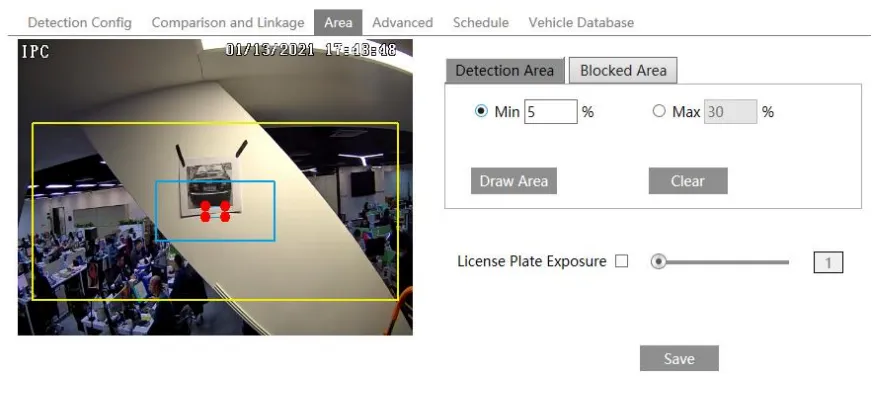
2. Click "Area" in top tab and draw area on the camera image as to where the vehicles will drive through. Then add detection area for the section the license plates will pass through..
You can also adjust the "License Plate Exposure" bar for when the environment is too like or dark.
Once set and registering number plates, the results will be found under "Intelligent Analytics"
Need Additional Help?
Our dedicated support desk is available to assist you 24/7.
Popular Articles
Frequently viewed documentation and technical guides.